How to Batch Watermark Photos on Android: Time and Place on Dozens of Photos at Once

You have a few hundred photos from the past year. One day you need thirty of them for a coworker, a client or an archive, and you realize you can no longer say when or where half of them were taken. Photos do not speak for themselves. Batch Watermark Creator for Android does one small thing: it prints the time, the place and your name on every photo, thirty at a time.
What a photo is missing
We have all opened an old picture with blue sky and happy faces and had no idea which year or which city it was.
It is less sentimental on the job. A site progress photo gets the question "which day was this?". A store walk-through produces thirty shots of shelves that have to be matched up back at the office. A small line with the date and address on the photo is the cheapest proof there is.
You could add that line to each photo by hand. Most people give up around the fifth one.
One thing most people miss
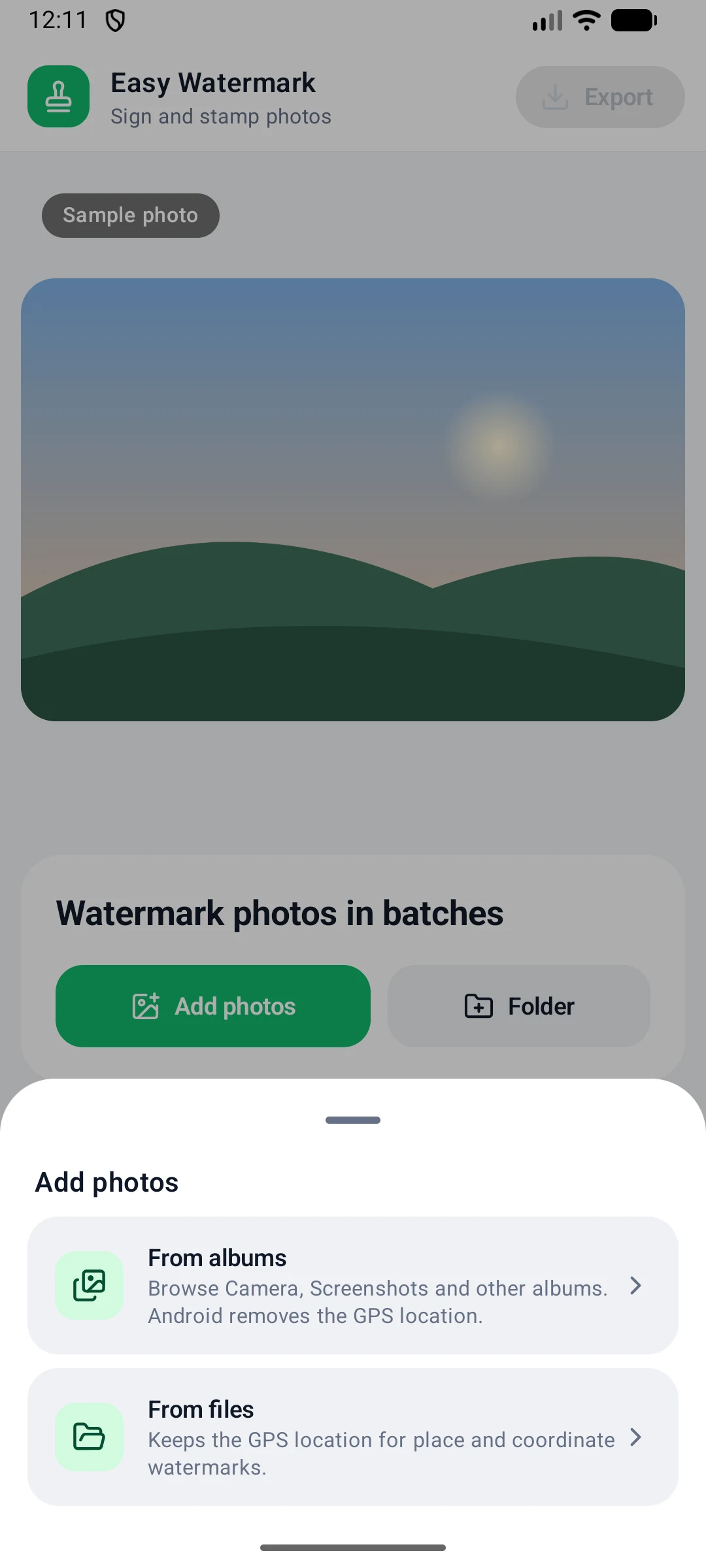
When you add photos you will see two choices: From albums and From files. The difference decides whether your location watermark has anything to show.
- From albums is convenient. You browse Camera, Screenshots and your other albums. But Android removes the GPS location from photos picked this way.
- From files keeps the GPS location. Use it when you want the place or the coordinates filled in automatically.
In the file picker, long-press a photo to start selecting, tap the others, then tap Select. You can also tap Folder to add every image in a folder at once.
If a photo has no location at all, for example because location was off when you took it, you can give every photo the same place with Same for all, or type the place for a single photo.
Three steps
| Step | What you do | What the app does |
|---|---|---|
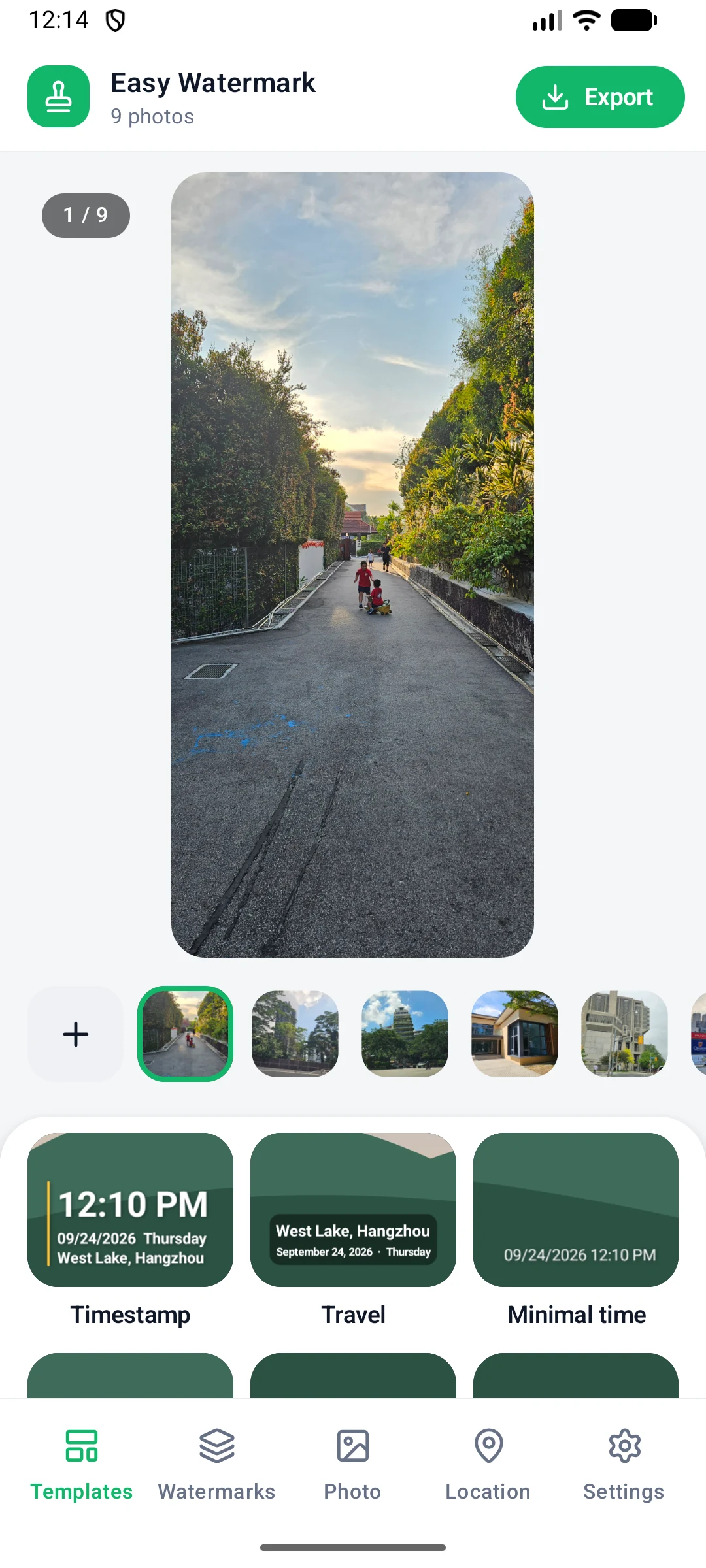
| 1 | Add photos | Shows the photo count, a large preview and a thumbnail strip |
| 2 | Tap a template | Builds a watermark from each photo's own capture time and place |
| 3 | Export | Processes the batch and saves it to Pictures/Watermark by default |
The key word is "own". You set the watermark up once, and every photo gets its own time and place. Thirty photos, thirty different answers.
Eleven templates for different jobs
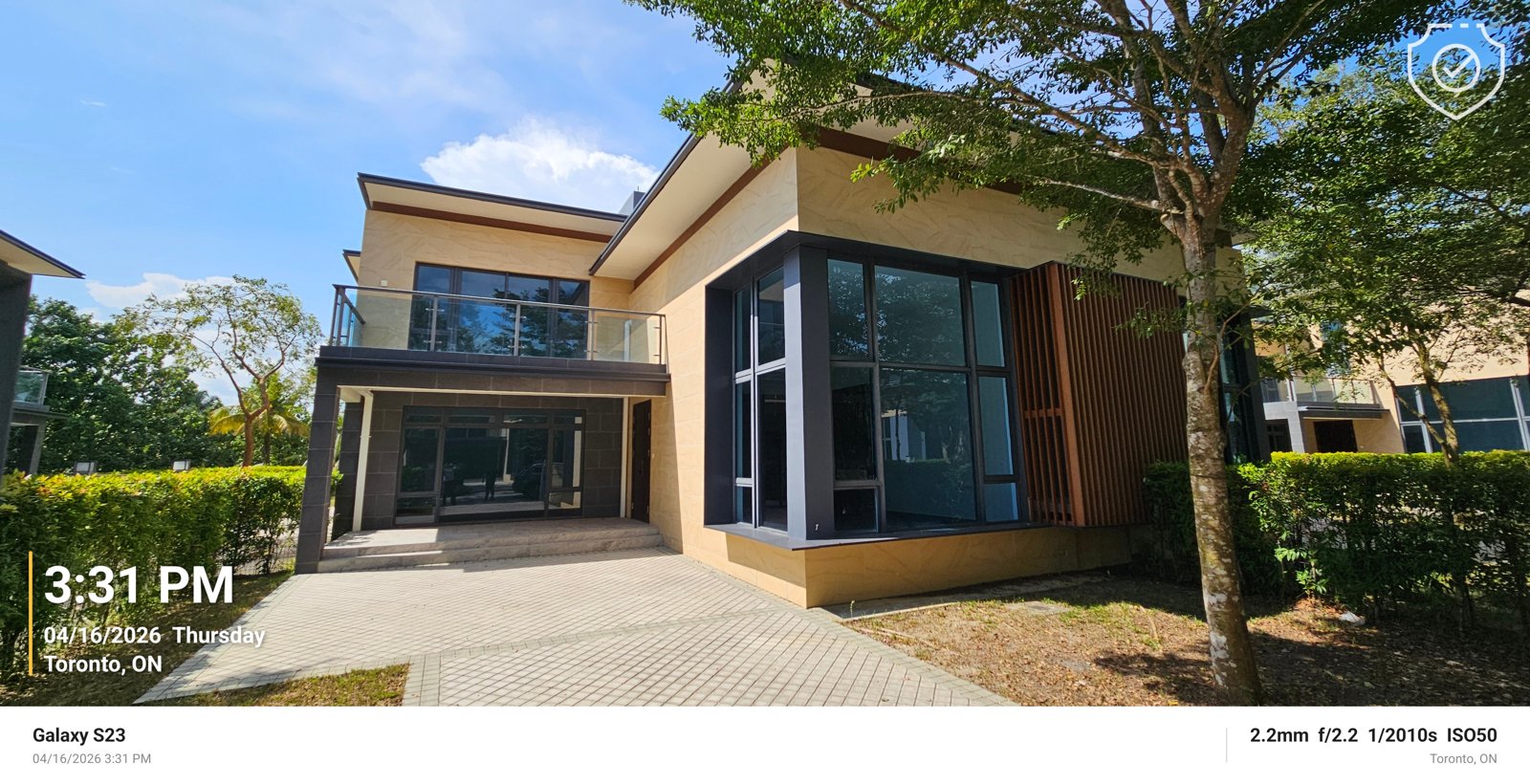
- Timestamp: big time, plus date, weekday and place
- Travel: place and date on a soft label
- City stamp: the city name as a centered title
- Film date: an orange date like an old film camera
- Proof of work: time, address and GPS coordinates, for job-site photos
- Minimal time: just the capture date and time
- Camera info: camera model and shooting settings
- Classic frame: a white info bar under the photo
- Dark frame: a black bar with place and time
- Signature: a copyright sign, the year and your name in a corner
- Copyright tile: a faint copyright mark repeated across the whole photo
For holiday pictures, Travel or Film date. For anything you have to hand in, Proof of work: time, address and coordinates, nothing missing.
Sign your photos
Photographers tend to remember last that a picture should say who took it. Enter your name or brand under Settings, and the Signature and Copyright tile templates will use it. The signature sits quietly in a corner; the tiled version covers the whole photo, which makes it harder to crop away.
Beyond text, you can add a logo and an info frame. A single photo can carry a time stamp, a logo and a frame at once, each as its own layer.
Options before you export
- Resize: by pixels or percent, or pick a common size such as Instagram square and portrait, Stories & Reels, Facebook, X, eBay and Etsy listings, Full HD or 4K. Photos are resized first and watermarked afterwards, so the watermark stays sharp and in proportion at any size.
- Rename: number files with a rule of your own, for example five digits like 00001.
- Keep original date: exported files keep the capture date, so your gallery still sorts them correctly.
- Remove photo metadata (EXIF): strips location and camera data. Worth a look before you share photos publicly.
- Recent exports: after the next shoot, tap Use these settings again.
If one file fails, the batch carries on. When it finishes you see how many photos were saved and how many failed.
The short version
The app is free, has no ads and needs no sign-up. The idea is modest: pick a few dozen photos, tap once, and put each picture back in its own time and place.
Download it from the Android app page, or read the step-by-step user guide. For thousands of photos on a PC, see Batch Watermark Creator for Windows.