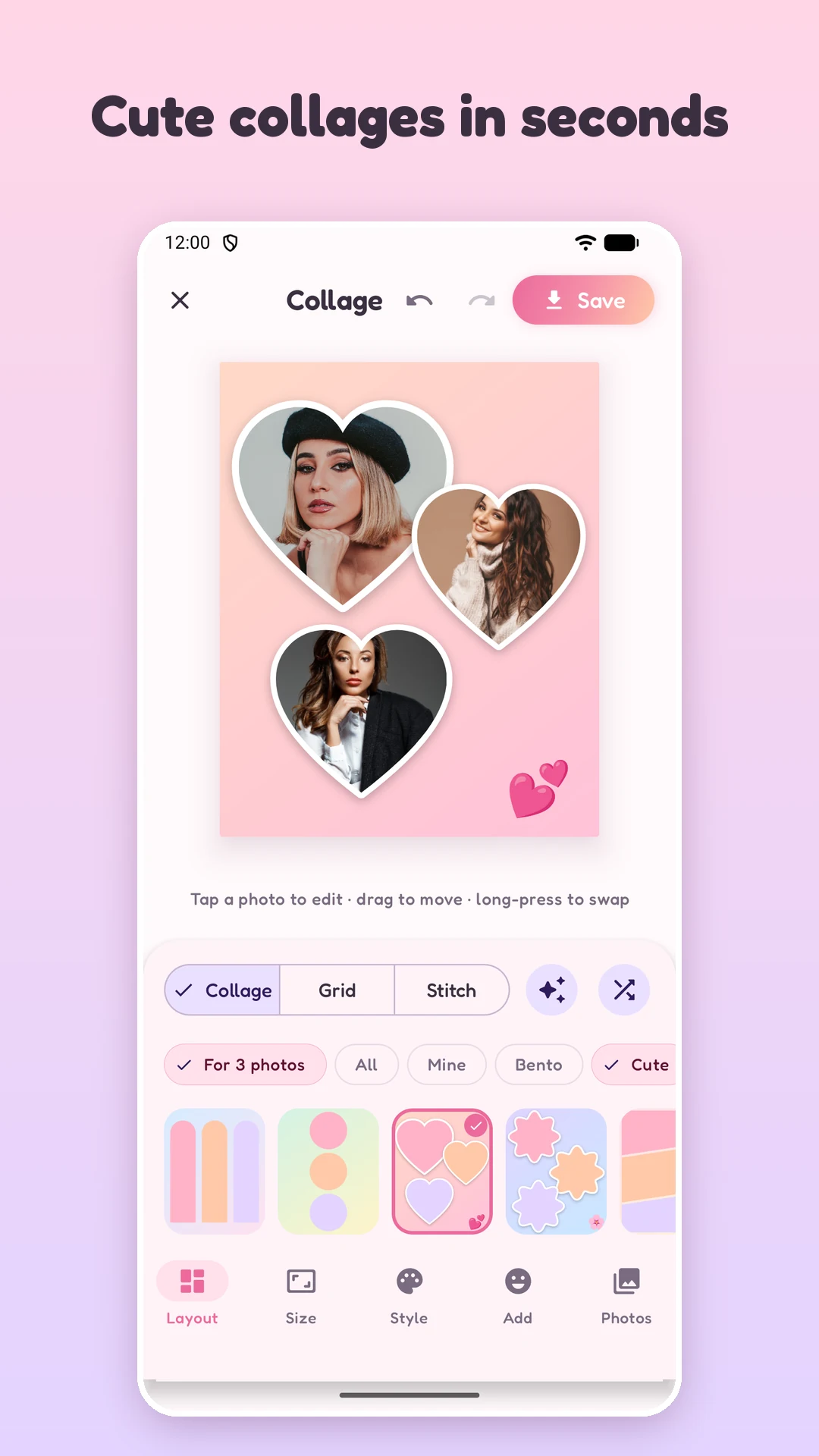
PicQuilt Cute collages in seconds

A collage app made for the phone: pick a few photos, choose a layout you like, tap Save. 141 layouts, grids and long-image stitching, and you can even draw your own layout with a finger. Your photos are processed only on your phone and never uploaded.

Free No account needed Photos never uploaded

Android 10 or later · Portrait orientation · If Android warns about an unknown source, allow this one install in system settings

Three steps, a few seconds

A good collage should not take half an hour

Making a collage should be a small, easy job. No account, no cloud, no paywall the moment you open the app.

1

Pick a few photos

Choose up to 30 at once from your gallery, or select photos in the system gallery, tap Share and choose PicQuilt to land straight in the editor.

The app finds the subject and lays the photos out for you

2

Choose a layout

Each template is a finished design with its own background, spacing, corners and decoration, so it looks complete the moment you apply it.

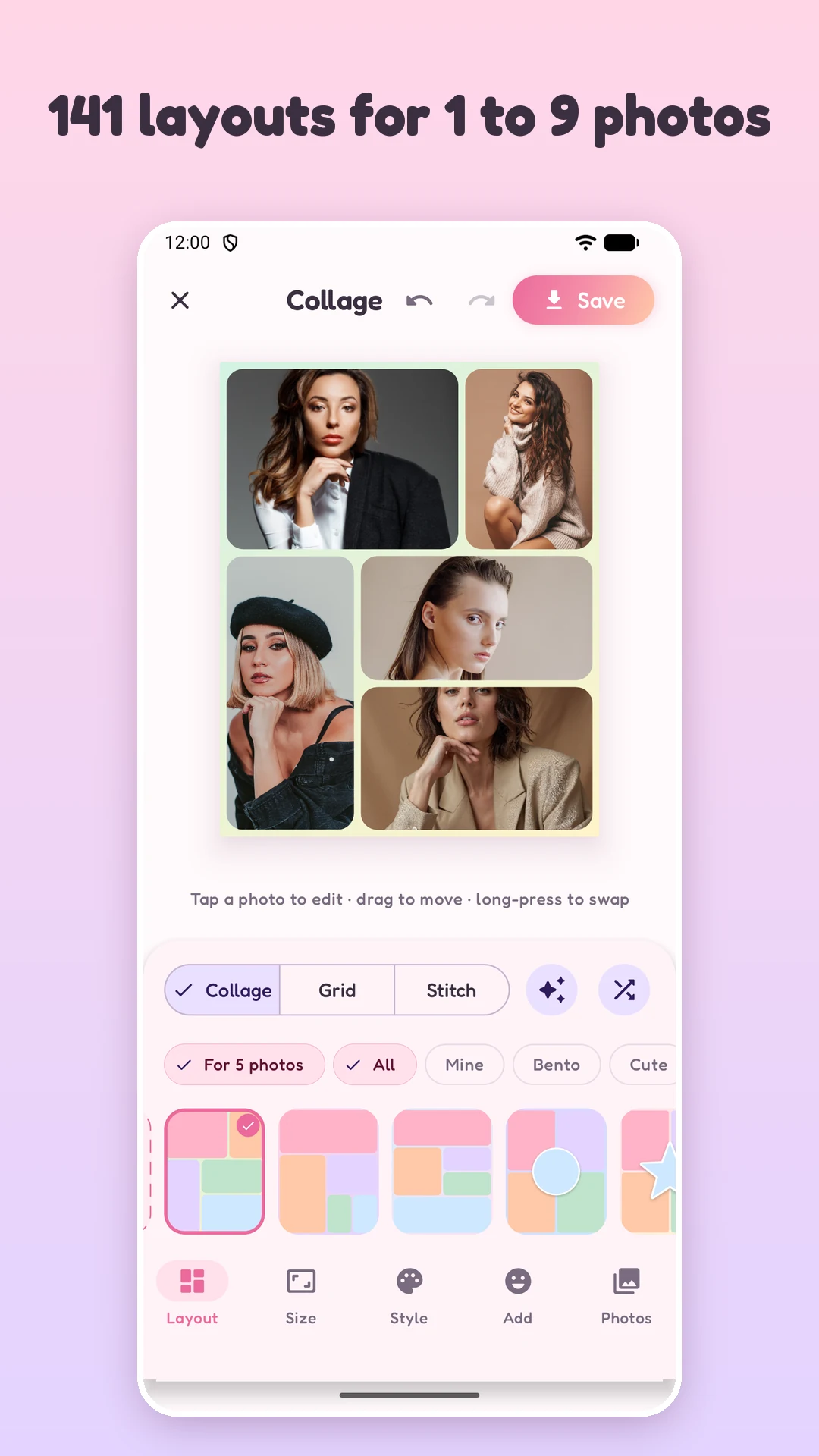
141 layouts to choose from

3

Tap Save

Export in high quality to the PicQuilt album in your gallery, or open the system share sheet.

JPG or PNG, standard or HD 2x

Posting to Instagram or Pinterest

The layout is plain, or the size is wrong and the platform crops half the face.

How PicQuilt handles it

Pick the canvas size first. 4:5, 1:1, 9:16 and 2:3 are one tap away.

Want a proper photo grid

Aligning cells by hand, or installing a bloated editor and sitting through ads first.

How PicQuilt handles it

Grid goes up to 5 × 5, and smart grid works out the best rows and columns for you.

Joining long screenshots or chats

Every image gets compressed, cropped or watermarked.

How PicQuilt handles it

Stitch joins photos end to end with no cropping.

Worried about uploads

You finish a collage and find the app wanted your photos in "the cloud" first.

How PicQuilt handles it

Everything is processed on the phone. There are no accounts, and your photos never leave it.
Three modes

Covers the layouts you will actually need

Collage

The main free-form mode. Pick from 141 designed layouts and turn 1 to 9 photos into something with style: birthday roundups, trip recaps, food diaries, pet days.

Grid

For tidy arrays of photos. Up to 5 × 5, with rows and columns you can change any time. Smart grid works out the best layout from the number of photos, the canvas shape and each photo's proportions.

Stitch

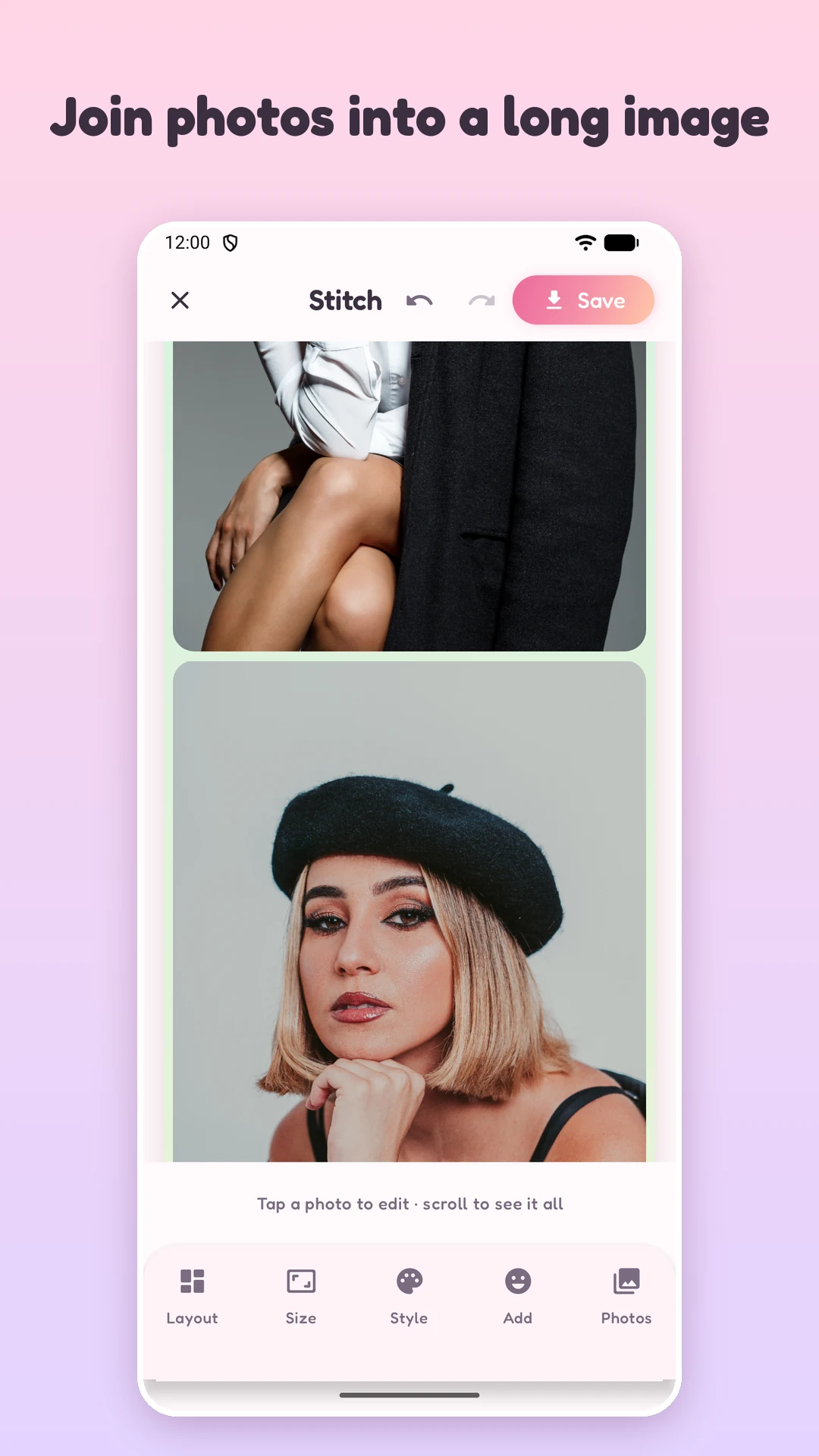
Chat threads, order details, checklists, comic panels: join them end to end in one tap, top to bottom or side by side. Photos are joined whole, with no cropping.

Features

Good-looking out of the box, with room to draw your own

PicQuilt layout picker with 141 layouts for 1 to 9 photos
141 layouts for 1 to 9 photos

Layouts

No need to be a designer

Every template is a complete design with its own background, spacing, corners and emoji decoration, so it looks finished the moment you apply it.

  • Bento·rounded cards in the current trending style, 20 layouts for 2 to 9 photos
  • Cute·hearts, flowers, circles, stars, clouds, honeycombs and bubbles, each with a white sticker outline
  • Scrapbook·tilted polaroids and washi tape on gingham, dots, grid or heart patterns
  • Strips·photo-booth strips, Instax cards and film rolls, letter-boxed to their natural proportions instead of stretched
  • Story·9:16 layouts for vertical video and Reels covers
  • Classic·52 dependable rectangular collages
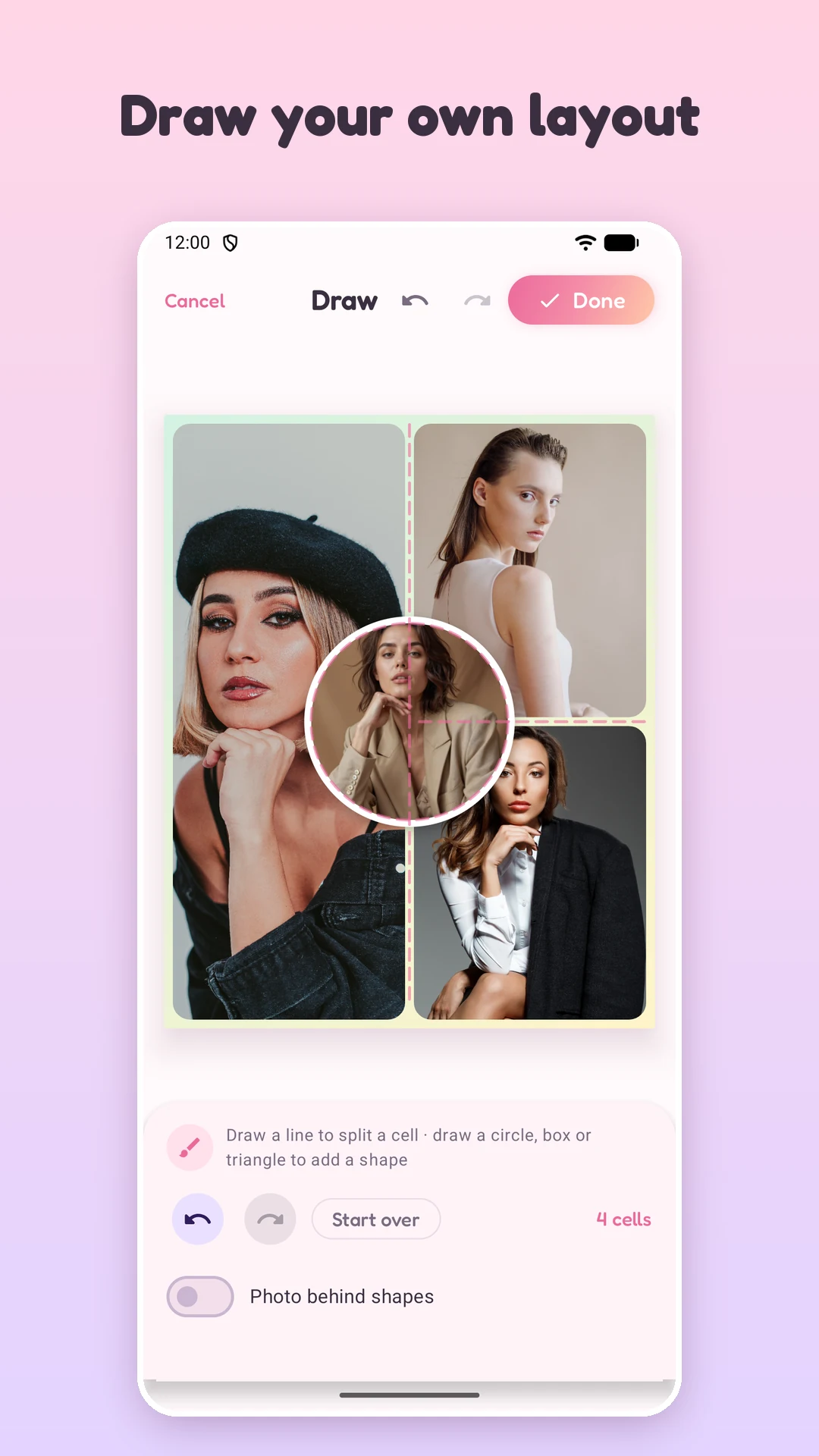
PicQuilt Draw screen: lines drawn with a finger split the canvas into cells and a drawn circle becomes a round cell
Draw layout: one line splits a cell in two

Draw your own layout

Draw the layout with your finger

  • Lines split cells·draw a line to cut a cell in two, and it only needs to cross a quarter of the cell
  • Tidied automatically·nearly straight lines are straightened and snap to halves, thirds and quarters; L-shaped and Z-shaped strokes are split into several lines
  • Draw shapes·circle, ellipse, square, box, triangle, trapezoid, parallelogram, diamond, pentagon and hexagon are recognized and cleaned up
  • Confirm before you commit·each stroke flashes what the app understood, a wrong guess can be re-shaped, and an extra stroke can be removed or the whole drawing cancelled
  • Reuse it·save to My layouts and use it on any canvas size, up to 24 cells
PicQuilt Stitch screen: photos joined end to end into one long image without cropping
Stitch: photos joined whole, end to end

Smart engine and touch gestures

The algorithm decides, your fingers fine-tune

  • Smart layout·one tap fits all the photos you picked into the current layout
  • Smart assign·matches each photo to the cell that suits its proportions, so the least gets cropped
  • Smart crop·finds the part of the picture most worth keeping, so faces and subjects stay in view
  • Drag and pinch·drag to reframe, pinch with two fingers to zoom, double-tap to reset
  • Long-press to swap·long-press a photo and drag it onto another cell to trade places
  • Undo and redo·step back from anything, so you can experiment freely
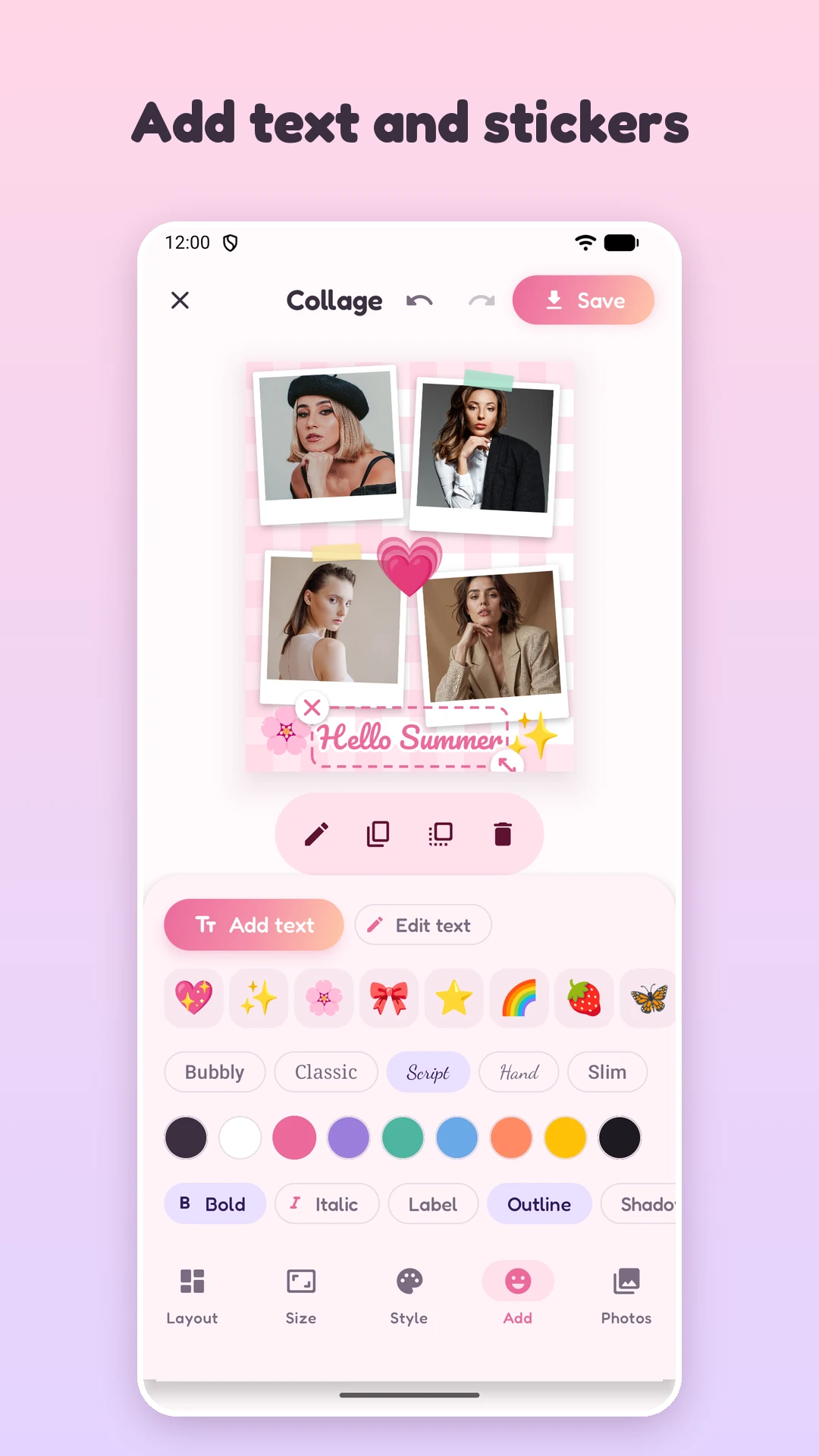
PicQuilt Add screen: script font text, an outline option and emoji stickers on a scrapbook collage
Text and emoji stickers

Style, text and stickers

Add some personality

  • Style·spacing and corner radius on one slider each, and a one-tap switch between Fill and Fit
  • Backgrounds·12 solid colors, 6 gradients and 8 patterns such as dots, gingham, hearts, stripes and stars, all in a soft pastel palette
  • Text·five fonts (Bubbly, Classic, Script, Hand and Slim), with color, bold, italic, label background, outline and shadow
  • Emoji stickers·add with one tap, then rotate, scale, duplicate or bring to the front

The bundled fonts are licensed under the SIL Open Font License.

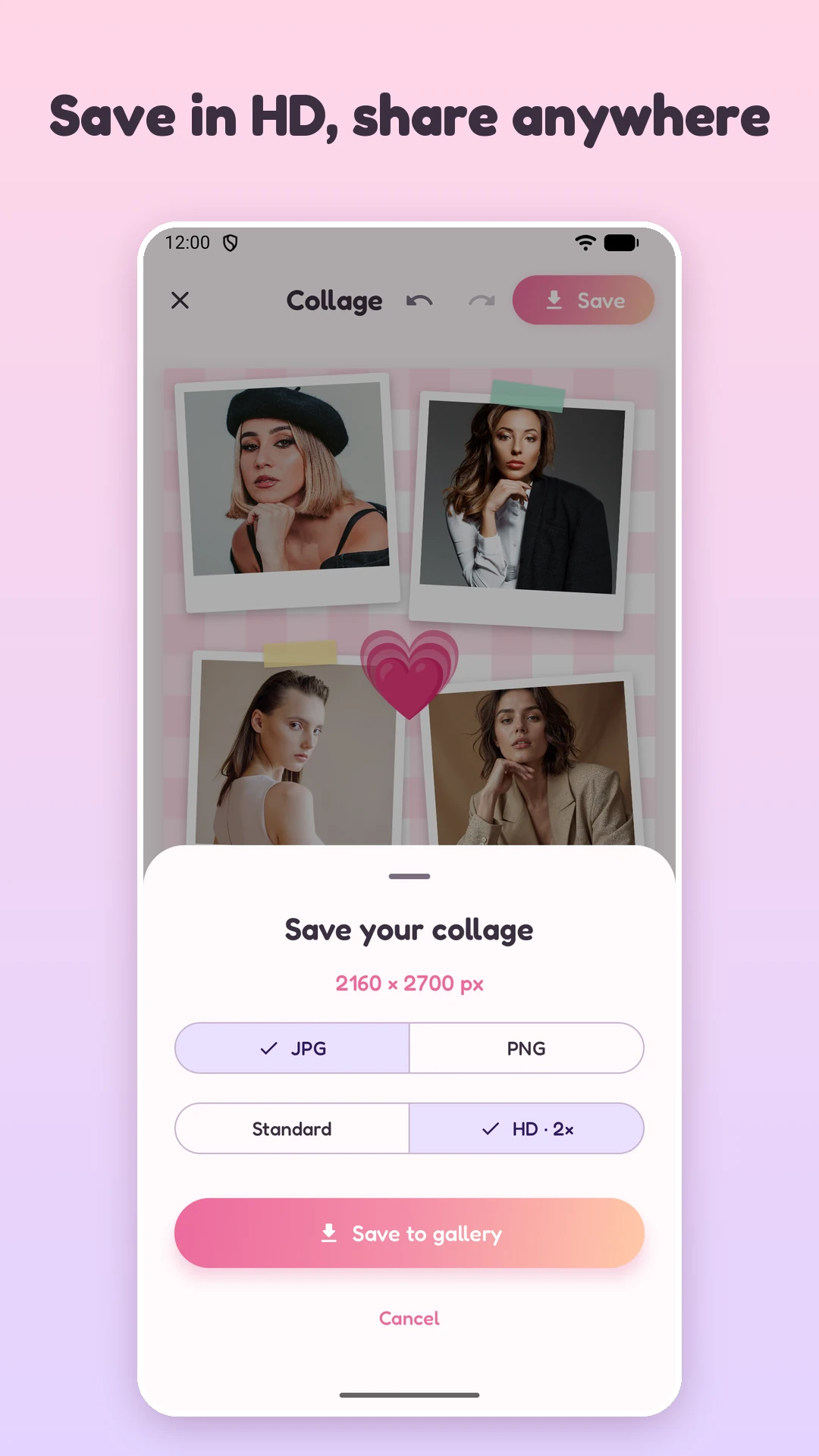
PicQuilt save sheet: choose JPG or PNG, Standard or HD 2x, then Save to gallery
Export: JPG or PNG, standard or HD 2x

Sizes and export

Sized for where it is going, and exported as you saw it

  • 11 canvas presets·portrait 4:5, square 1:1, vertical 9:16, 3:4, 2:3, widescreen 16:9, banner 1.91:1, phone wallpaper, photo 4:3 and 3:2, and A4
  • Pick a size and the layout adapts·no need to merge first and fix it afterwards
  • Preview = export = thumbnails·one renderer draws all three, so there is no surprise when you save
  • Save options·JPG or PNG, standard or HD 2x, saved to the PicQuilt album in your gallery without storage permission
  • Empty-cell warning·before exporting you are told a cell will be left blank, so no photo gets forgotten

Platform names are used only to describe which canvas sizes fit where. Trademarks belong to their respective owners.

Privacy

Your photos stay yours

Photos are the most personal data there is: family, children, trips, documents, chat screenshots.

Runs entirely on the phone

Editing, rendering and exporting all happen on your phone. Photos are not uploaded.

No storage permission to save

The app uses the system photo picker, so it can only read the photos you choose.

No account system

No sign-up and no sign-in. From picking to saving, your photos never leave the phone.

Who it is for

Who gets the most out of PicQuilt

Instagram and Pinterest posters

4:5, 1:1 and 2:3 presets with Bento templates: a post cover in minutes.

Short-video creators

9:16 Story templates for covers, before-and-after shots and roundups.

Travelers

Scrapbook and film styles turn a trip into one page of memories.

Parents and pet owners

Photo-booth strips, Instax cards, hearts and emoji stickers for growing-up and daily-life shots.

Shop owners and small businesses

Product comparison images, menu collages and single-page A4 sheets for printing.

Tinkerers

Draw a layout that is one of a kind.

Specifications

Modes Collage · Grid (up to 5 × 5) · Stitch (top to bottom or side by side, no cropping)
Layouts 141 layouts: Bento · Cute · Scrapbook · Strips · Story · Classic
Draw your own Lines split cells · 10 recognized shapes · saved in My layouts · up to 24 cells
Photos Select up to 30 at a time
Style and text 12 solid colors · 6 gradients · 8 patterns · 5 fonts · emoji stickers
Export JPG or PNG · Standard or HD 2x · saved to the PicQuilt album · system share sheet
Requirements Android 10 (API 29) or later, portrait orientation
Languages English · Simplified Chinese · Traditional Chinese
PicQuilt

Download PicQuilt

The latest version is v1.0 for Android. Completely free, and no account is needed.

Android 10 or later · On a computer, the download button shows a QR code to scan with your phone · If Android warns about an unknown source, allow this one install in system settings

FAQ

About privacy, saving and installing

Does PicQuilt cost anything? Do I need to go online or sign up?

It is free and needs no account. Editing, rendering and exporting all happen on your phone and do not require an internet connection.

Are my photos uploaded anywhere?

No. All processing happens on your phone. Saving to the gallery does not need storage permission either: the app uses the system photo picker, so it can only read the photos you pick.

How many photos can I add at once?

You can select up to 30 at a time. Collage layouts take 1 to 9 photos, and Grid goes up to 5 × 5.

Where do saved images go?

To a PicQuilt album in your gallery. After saving you can also open the system share sheet in one tap.

Does Stitch mode compress or crop my photos?

No. In Stitch mode photos are joined whole, end to end, with no cropping, either top to bottom or side by side.

What if I draw a layout wrong?

Tap Done to open the confirmation sheet. There you can rename a recognized shape, delete a single stroke, or keep drawing. Tap Cancel at the top left and the layout goes back to how it was before you started drawing.

Can I reuse a layout I drew?

Yes. Save it to My layouts and it is available on any canvas size. Long-press a saved layout to delete it. A drawn layout can have up to 24 cells.

Which Android versions are supported? Can I change the language?

Android 10 (API 29) or later, in portrait orientation. The interface is available in English, Simplified Chinese and Traditional Chinese. On Android 13 and later you can pick the language for the app alone in system settings.

Android warns about an unknown source when I install. What do I do?

That is the normal prompt when installing an APK that does not come from an app store. Allow the install in your system settings, then open the downloaded file again. If you open the link inside another app and the download is blocked, open it in your phone's browser instead.

Need help? Get in touch

Stuck on something, or have a suggestion? Send us a message or an email.