Batch Watermark Creator
Batch watermark software for Windows
Stamp text and logo watermarks on whole folders of photos, and resize, convert and rename them in the same run. What you see on the canvas is what you get.
Easy Tools · Software since 2005
Each app solves one kind of problem and does it smoothly. Everything runs on your own PC or phone, with nothing to upload. Try it free, and buy a lifetime license only if you keep it.
Products
Every product has its own page with screenshots, a download and a license. Windows and Android editions are separate, so pick what you need.
Batch watermark software for Windows
Stamp text and logo watermarks on whole folders of photos, and resize, convert and rename them in the same run. What you see on the canvas is what you get.
Photo collage and long-image stitching for Windows
Drop in photos, pick a layout, save. Collage, grid and long-image stitching with smart layouts and cropping, all processed on your PC.
Screen recording and screenshots for Windows
Record the screen, a window or a region with sound, webcam and annotations. Long recordings are saved in segments, so a crash never costs you the take.
Web-friendly video compression for Windows
Shrink big videos into small MP4 files in three steps. Set a target size in MB, trim and join clips, add a watermark, and keep the quality.

Batch watermark app for Android photos
Stamp date, place, signature, camera info and logos on a whole batch of phone photos with one-tap templates. Free, no ads.

Photo collage and long-image app for Android
Make cute collages on your phone in seconds: 141 layouts, hand-drawn layouts and long-image stitching. Photos stay on your device. Free.
Free Windows 98 screensavers for Windows 10 and 11
3D Pipes, 3D Maze, Starfield, Mystify and Flying Windows, remade frame by frame for 4K, multi-monitor desks and modern GPUs. Free, no catch.
Why Easy Tools
Photos, recordings and videos are processed on your PC or phone. Nothing is uploaded; the only thing that goes online is license activation.
Download the free trial first. If you keep it, one payment gives you a lifetime license with all future updates; 1-year licenses are there if you prefer a smaller outlay.
Questions about using, buying or activating? Write to us and the people who build the software will reply by email.
Three steps
Get the installer from the product page. The trial has the full feature set.
Pay securely at our store. Your license key arrives by email within minutes.
Enter the key in the app to unlock it. One purchase, use it for as long as you like.
Blog
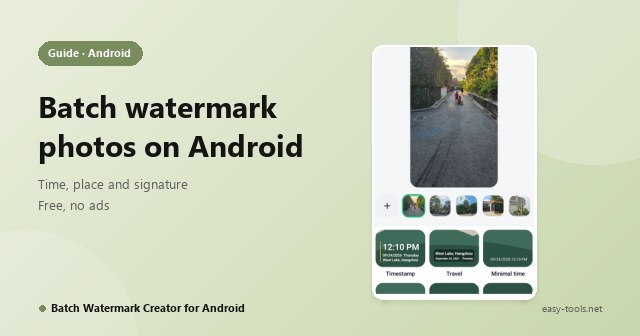
Stamp each photo's own capture time, place and your name on a whole batch of phone photos: add photos, tap a template, export. Free, no ads. Plus one tip: albums strip GPS, files keep it.
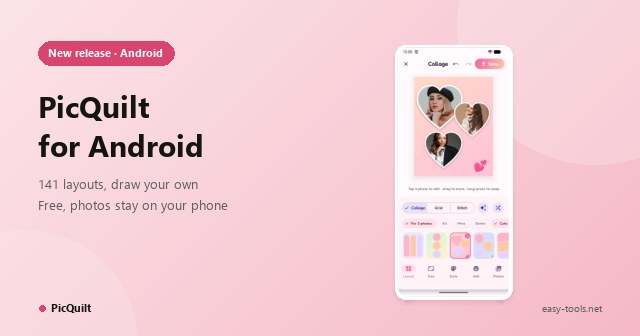
PicQuilt is a collage app made for phones: pick photos, choose a layout, tap Save. 141 layouts, hand-drawn layouts, long-image stitching and smart layout. Free, and photos never leave your phone.
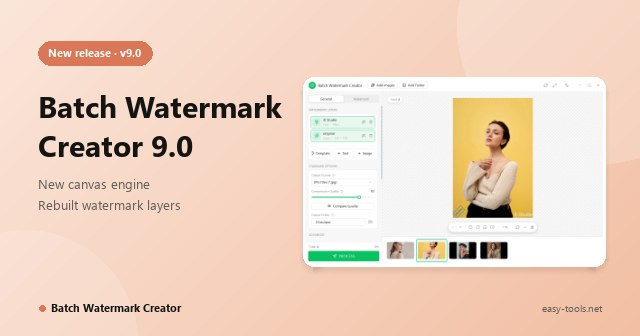
Version 9.0 adds a new canvas engine, unlimited independent watermark layers, shooting-info placeholders and a Compare Quality preview that matches the real output. A free Android app launches too.
Using, buying or activating our software: write to us and we reply by email. Lost your license key? You can look it up yourself.