Activate
2 ways to activate the program quickly and easily!
How to activate the program
After you successfully purchase our program, you will receive an e-mail of license key in 5 minutes. Please insert the license key into the program this way (or another way):
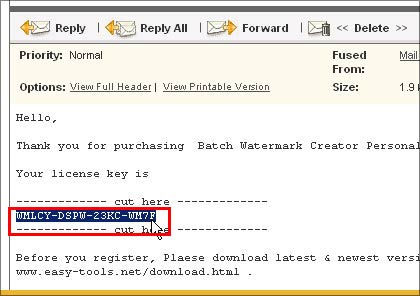
Step 1. Open the e-mail of license key. Then mark (highlight) license key in this e-mail, insert it into the clipboard (by pressing CTRL+C keys together).
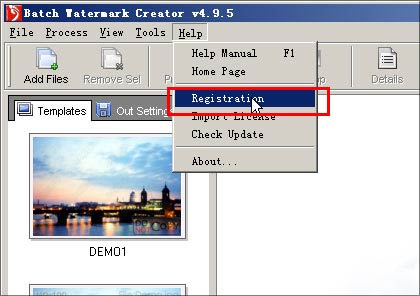
Step 2 . Start the program and click 'Help' menu item and choose 'Registration'.
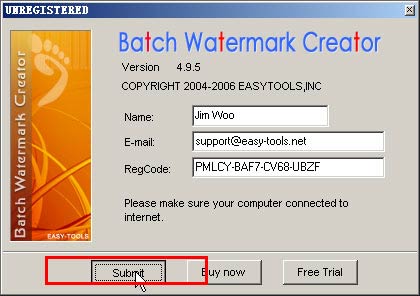
Step 3 . Enter your name and email address, then insert (paste) the license key from the clipboard into the text dialog (by pressing CTRL+V keys together). Press Submit.
Step 4 . After downloaded your license data, Please
press OK and restart the program.If you can not complete the registration with this way.
Please use another way to complete the registration. Go to...